





This little-known “Lossless Video Learning System” helps you…

Make Every Study Minute Count

and finally...

Turn Your Study Hours into Real Results

This system helps you internalize and apply what you learn, so you stop wasting time and money on courses you quickly forget and never put into practice.

Let me guess:
You’ve invested hours—maybe even weeks—watching online courses, taking notes, rewinding videos, and telling yourself that “this time, I’ll remember it all.”

But within days… it’s gone.

You can’t remember key concepts. You feel like you wasted your time.
And once again, all that effort amounts to… nothing actually applied.

It’s not your fault.

The truth is, online learning isn’t broken because of you.

It’s broken because the system was never designed to help you retain what you watch.
Most tools leave you doing all the work — taking messy notes, pausing videos, organizing files, hoping you’ll revisit them later.

But here’s the reality:

If you’re not revisiting the right information, at the right time, in the right format…
You will forget it.
That’s just how the human brain works.

What if you could stop losing everything you learn?

What if, without changing how you study, you could finally retain what you watch — and apply it with clarity and confidence?

That’s exactly what this little-known Lossless Video Learning System is designed to do.

Built for people who learn through online courses — like you — this system works with the way your brain actually learns.

It helps you capture what matters, organize everything instantly, and review automatically right before your brain forgets.

In short?

You never lose what you learn again.

No more starting over.
No more wasting hours.
No more forgetting everything by next week.

This is not another app that forces you to change your routine.
This is a system that runs in the background, doing the hard work for you — so every single minute of your study actually counts.

Because when you can remember what you learn…
You finally get results from what you study.


Wasting Time, Money, and Effort on Online Courses Without Applying Anything?

You’re not alone. Many of us spend hours and resources on online courses, only to forget everything quickly and never apply it.

Does this sound familiar?

DALL·E 2024-10-29 15.42.13 - A small, minimalist illustration representing forgetfulness in learning. Shows a student with question marks around their head, looking frustrated wit

Forgetfulness

Frustrated about forgetting what you studied and never truly applying it.

DALL·E 2024-10-29 15.44.11 - A minimalist illustration showing lack of organization in studying. Depicts a frustrated student surrounded by scattered papers, notes, and messy docu

Overwhelmed

Overloaded with so much information and scattered, disorganized notes that only add to the confusion.

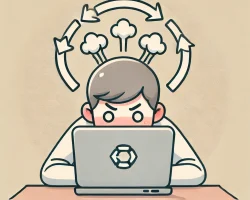
DALL·E 2024-10-29 15.48.03 - A minimalist illustration showing a frustrated student sitting directly facing a laptop on a desk. Circular arrows above the laptop screen indicate re

Need to Rewatch Videos

You have to rewatch lessons and revisit visual content, like charts and slides, because supporting materials aren’t provided—wasting your time and energy.

DALL·E 2024-10-29 16.14.08 - A minimalist illustration in soft, balanced colors showing the frustration of wasted time and resources in studying. Depicts a student with a sad, fru

Feeling of Waste

A sense of having spent time and money without gaining practical results.

Why does the "Lossless Online Learning System" turn study hours into real results?

The truth is, most of us don’t apply what we learn — not because we’re lazy, but because we forget. And if you’ve already forgotten something, how can you ever apply it?

We spend hours on online courses, yet days later we can’t recall key points, let alone take action. That’s not just frustrating — it’s a huge waste of time and money.

This happens because of something called the Ebbinghaus Forgetting Curve — a proven psychological principle showing that we forget up to 70% of new information within 24 hours if we don’t review it strategically.

This is exactly what the Lossless Online Learning System, brought to life through InternalizeIt, is designed to solve.

With InternalizeIt, you can:

  • Instantly capture notes and screenshots without pausing or breaking focus

  • Automate your review process at just the right time, based on the forgetting curve

  • Keep your learning organized, clear, and ready to apply

It’s not about studying harder — it’s about studying smarter, with confidence and clarity.

How InternalizeIt Helps You Internalize and Apply What You Learn:

Coloca selecionar onde quer armazenar as notas

The InternalizeIt Chrome extension displays a floating button over the video as you watch. It lets you instantly capture important notes without pausing or losing focus on the content.

With a single click, you can record insights and key points without interrupting the flow of your video lesson.

Quick and Practical Note-Taking While Watching Online Courses

The InternalizeIt Chrome extension displays a floating button over the video as you watch. It lets you instantly capture important notes without pausing or losing focus on the content.

With a single click, you can record insights and key points without interrupting the flow of your video lesson.

Capture Essential Images with a Single Click

With InternalizeIt, capturing essential images during your lessons is simple and seamless.

With just one click, the image is automatically saved to the right notebook or subtopic, without interrupting the video or wasting time organizing afterward.

Imagine watching your lessons without needing to pause to take screenshots, save, and manually sort them into folders.

Simplified Organization for Greater Efficiency

Organizing your notes and screenshots has never been easier.

With InternalizeIt, everything is structured in a simple and intuitive way using a tree structure that lets you add new information exactly where it belongs.

No more wasting time figuring out where to save or trying to remember where you stored important notes.

Export Your Notes to Mind Maps

Visualizing your notes as a mind map makes all the difference when it comes to understanding and connecting concepts.

With InternalizeIt, transforming your notes into clear, organized mind maps is quick and easy: with just one click, your ideas are exported to tools like XMind and Freeplane(which is free and open-source), providing a structured view of your content.

Automate the Review Process to Retain Knowledge Permanently

With InternalizeIt, you ensure that knowledge is retained in your long-term memory without any extra effort.

Set up automatic reviews based on the forgetting curve, receiving reminders at the ideal moments to maximize retention.

You can also include reference links in your notes, giving you quick access to supplementary materials when needed.

What Are InternalizeIt Users Saying?

"I Can Finally Remember What I Study!"

Before, I struggled a lot to retain information, especially in online courses. I would watch the lessons, but soon forget what I had learned. With InternalizeIt, I started reviewing at the right time, and now I feel like I truly retain the content. Today, I feel much more confident and capable of applying what I learn.

Jefferson

Product Designer at Dribbble

"My Notes Have Never Been This Organized!"

I’ve always been disorganized with my notes and spent so much time trying to find information. After I started using InternalizeIt, everything became easier. My captures and notes are always in the right place, and the time I used to waste organizing is now dedicated to learning. I feel like I study with much more flow and efficiency.

Jane Doe

UX Engineer at Behance

"I Saved Time and Boosted My Productivity!"

Before, reviewing content was a time-consuming and manual process. With InternalizeIt, I set up my reviews and no longer have to worry. I get automatic reminders and only review what’s necessary to retain the content. Not only do I learn faster, but I also feel much more productive and motivated.

Bob Doe

UI Designer at Flickr

"I Can Finally Remember What I Study!"

Before, I struggled a lot to retain information, especially in online courses. I would watch the lessons, but soon forget what I had learned. With InternalizeIt, I started reviewing at the right time, and now I feel like I truly retain the content. Today, I feel much more confident and capable of applying what I learn.

Jefferson S.

After You Start Using InternalizeIt, You Will:

Start Applying What You Learn

Once you internalize the content, you’ll be better prepared to use your knowledge in a practical way, turning learning into real results.

Say Goodbye to Information Overload

By remembering exactly what you’ve already studied, you’ll gain more clarity and confidence, avoiding the constant need to search for new information.

Have Confidence That Your Knowledge Will Stay

Schedule automatic reviews based on the forgetting curve, reinforcing content at the right time and ensuring long-lasting retention.

Study with Peace of Mind and Full Focus

Capture important notes and images with one click while watching video lessons, keeping your focus and learning flow uninterrupted by unnecessary pauses.

See Your Ideas Clearly and Connected

Quickly transform your notes into mind maps, visualizing connections between concepts for deeper and more integrated understanding.

Enjoy Automatic Organization Without Manual Effort

Save screenshots directly to the desired notebook or subtopic, keeping everything in the right place and organized without worrying about messy folders.

4 Simple Steps to Start Internalizing and Applying Your Knowledge:

  • 1. Sign Up and Install the Chrome Extension

    Access our platform and create your account. With the extension installed, InternalizeIt will be ready to capture your notes and organize your reviews automatically.

  • 2. Capture Notes While You Learn

    During your lessons, use the floating button to capture notes and images without losing focus.

  • 3. Set Up Your Reviews

    Choose review intervals based on the forgetting curve to reinforce content at the right time. Receive automatic reminders to keep your learning active.

  • 4. Review and Apply with Confidence

    With the automatic review system, you’ll ensure that everything you’ve learned remains accessible and ready to be used.

Ready to internalize knowledge and apply what you learn?

As soon as you click the button below and start using InternalizeIt, your study time will be worth every minute.

Available on the Stores also.

FAQs

No! During the free trial period, you get full access to InternalizeIt at no cost. You will only be charged if you decide to continue using the tool after the trial period and do not cancel beforehand.

Yes, you can cancel your subscription at any time, hassle-free. InternalizeIt gives you full control over your account and access to the service.

You can access the InternalizeIt web app from any device, including tablets and smartphones. However, to capture notes while watching video lessons, you need to use our Chrome extension, which requires Google Chrome running on a laptop or desktop computer (not supported on mobile or tablets).

InternalizeIt automates reviews based on the forgetting curve, sending reminders at the ideal time to reinforce content. This keeps your learning fresh in your memory and improves retention without any manual effort.

Yes! InternalizeIt works with any online course you watch, whether on platforms like YouTube, Udemy, Coursera, or others. Just install the Chrome extension and capture notes and images with a single click while you watch.

Absolutely. Your notes and images are stored directly in the notebook or subtopic you choose, keeping everything intuitively organized for easy access and review.

Yes, you can export your notes directly to popular tools like XMind and Freeplane(which is free and open-source). Additionally, MindMeister supports importing XMind files, allowing you to expand your workflow across different platforms. This helps you visualize your ideas in a structured format and connect concepts for better understanding and application.

Yes! InternalizeIt was designed to be intuitive and simple to use, even for those new to study tools. With just a few clicks, you can capture notes, organize content, and set up automatic reviews for effective and hassle-free learning.

This website is not a part of the Facebook website or Meta Platforms Inc. Additionally, this site and product is not endorsed by (nor affiliated with) Facebook Or Meta Platforms Inc. in any way. Facebook is a registered trademark of Facebook Inc.